Toshiba Portege 4000 Notebook Review
Author:
Date: 15.02.2002 |
|
Opening the notebook
Battery replacement:
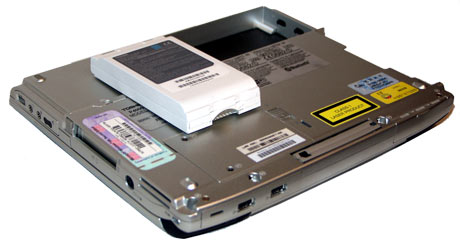
Battery of the Toshiba Portege 4000
Notebook is not a desktop PC and you won't have to open it often. But when will you need it? First of all, to replace the battery. Then, to add memory. Finally, to replace a hard drive and probably a module for operation in wireless networks.
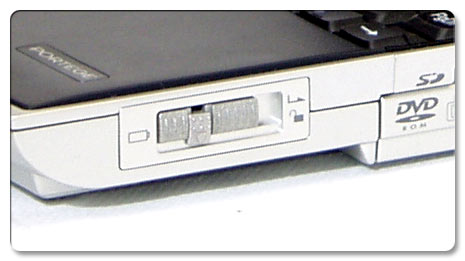
Battery lock
There is a special lock for replacing batteries on the Portege 4000. Shift the middle part down, move the lock to the right and the battery will move forward. The middle part fixes the lock.
Adding memory:
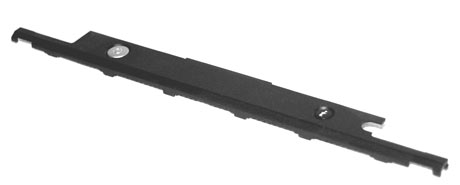
First of all, remove this panel
Memory replacement in the Portege 4000 is a very easy procedure. There are two memory slots for SO-DIMM PC133, one of which is taken by 128 MB. To add one more module you have to remove the keyboard which is attached with two screws. The screws can be found under the plastic cap with the "i" and Power buttons.
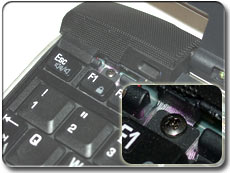 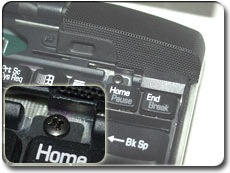
Unscrew the keyboard
Having turned off the battery lift up the keyboard using a screw-driver. The screws can be taken out with a small cross head screw-driver.

Taking out the keyboard
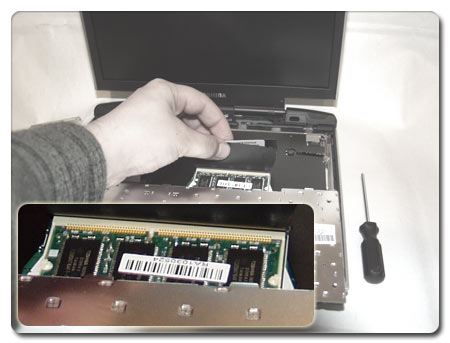
Turn up the plastic protection
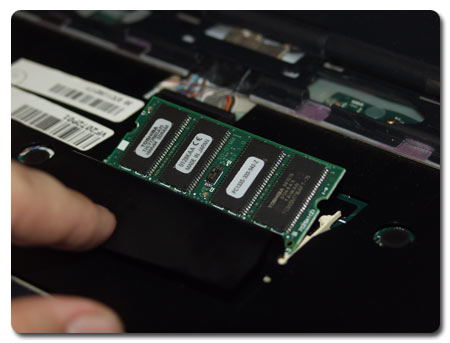
Insert the module and lock it
Now let's assemble the notebook back.
Hard drive:The bottom of the computer has several attached plates. The one connected with cross screws can be removed for replacing the hard drive. It hides a handy combination of a special adater and an IBM's drive. It's easy to take it off - just pull the plastic handle.
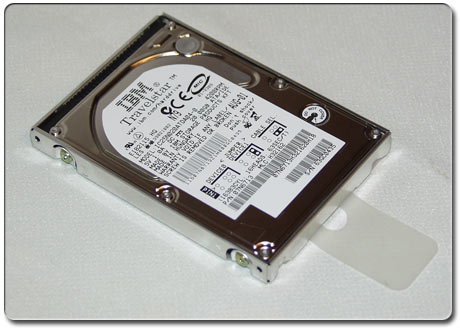
Hard drive in the adapter
ConclusionTogether with the excellent performance, the Toshiba Portege 4000 can boast of the battery running time, a good 3D speed, a high-quality display, advanced communication capabilities and a rich suite of bundled software. It's ready to work as soon as you take it out of the box and connect. The double PC Card slot allows using even Type III equipment, and the SD card reader makes this system able to communicate with digital cameras and MP3 players. I wish it also had a TV-out.
 You forget about all its disadvantages as soon as you take the Portege 4000 in your hands. The model is very light even with a built-in DVD drive. For its small size, functionality and technical characteristics we award to it our Editor's Choice. This is an excellent notebook for a pressman or manager, it's irreplaceable if you need a small but functional computer. You forget about all its disadvantages as soon as you take the Portege 4000 in your hands. The model is very light even with a built-in DVD drive. For its small size, functionality and technical characteristics we award to it our Editor's Choice. This is an excellent notebook for a pressman or manager, it's irreplaceable if you need a small but functional computer.
Highs:
- Compact size, light weight;
- Functionality (double PC Card, SD card reader, built-in DVD drive);
- Developed communication capabilities (56K modem, wireless network, Bluetooth, Ethernet 10/100 mbit);
- Good matrix (good brightness reserve, 1024x768 at 12");
- Developed power saving capabilities;
- High performance;
- Long battery life.
Lows:
- No TV-out;
- Questionable mouse management system.
 |
Content: |
 |
|
|
Top Stories: |
|
 |
|
MoBo:
|
|
|
|
VGA Card:
|
|
|
|
CPU & Memory:
|
|
|










