Asus P5AD2 Premium (Intel 925X) Review
Overclocking and stability
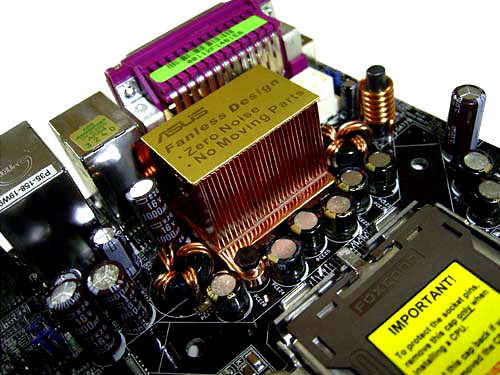
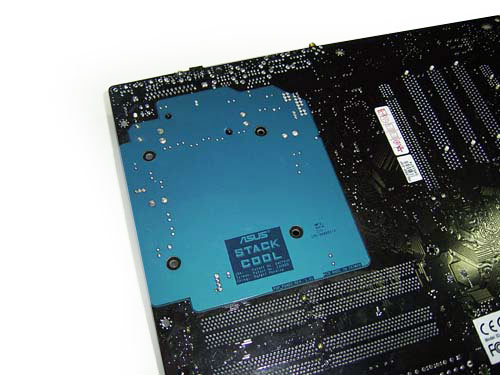
Prior to moving to overclocking, let's look into the power converter. It uses a 8-channel power scheme in which there are five 1000 mkF, one 1500 mkF and many capacitors of smaller capacitance. To improve the cooling of the power module, the new Asus Stack Cool technology is used which is a copper radiator on the front side of the board,
with an aluminum plate on the reverse side.
The system is fully passive, and as the company representatives claim, it is able reducing the temperature by 10 C.
Now on to the overclocking features:
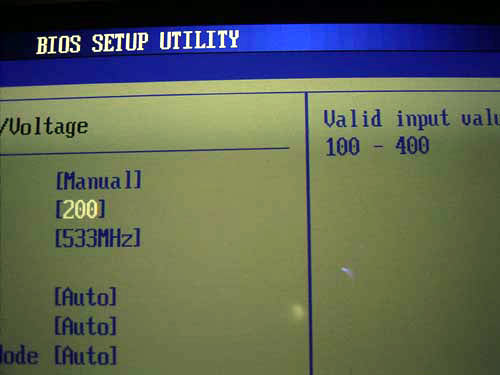
First off, the Asus P5AD2 allows adjusting the system bus speed within 100 to 400 MHz in 1 MHz increments.
Of convenience is that you can enter the desired FSB value from the keyboard.
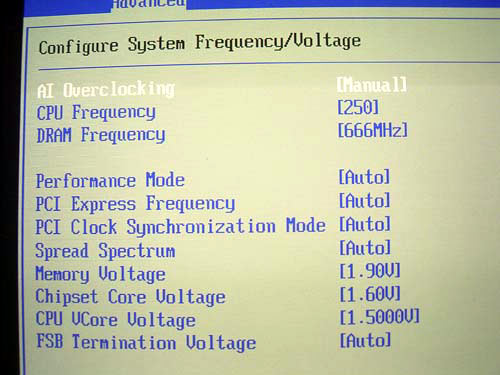
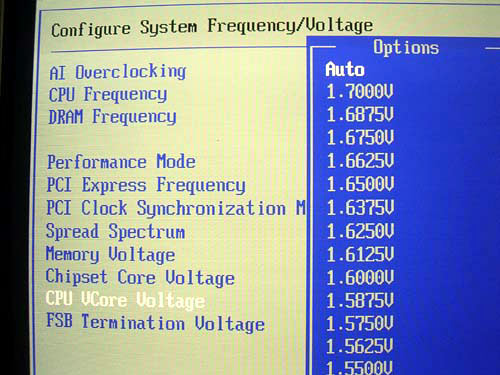
Secondly, Asus P5AD2 allows adjusting the processor voltage (Vcore) within a very wide range: within 1.3875V (nominal) to 1.7V in 0.0025V increments.
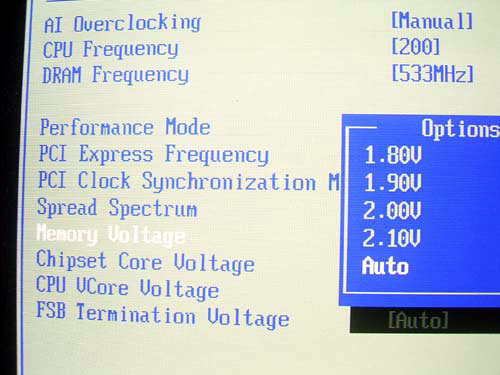
The advanced user can raise the Vmem from the nominal 1.8V up to 2.1V (in 0.1V increments).
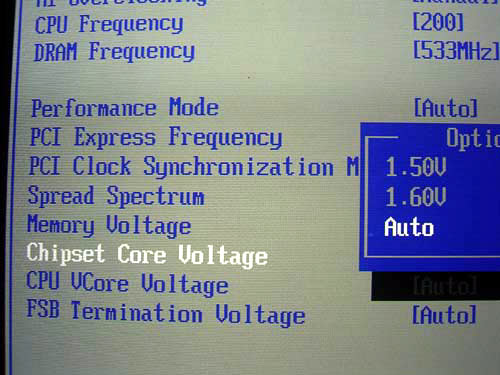
Besides, we get a useful feature for raising the chipset voltage.
Its admissible values are 1.5V and 1.6V.
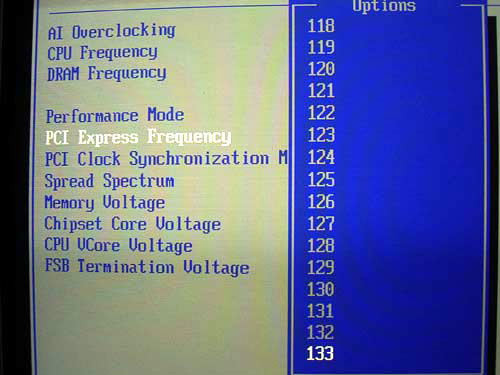
You can also adjust the speed of the PCI Express bus within 90 MHz to 133 MHz.
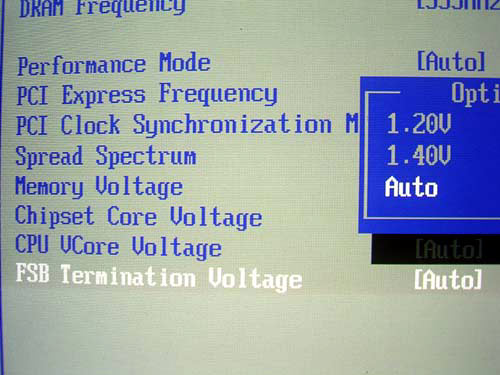
Finally, P5AD2 allows adjusting the "FSB Termination Voltage" value.
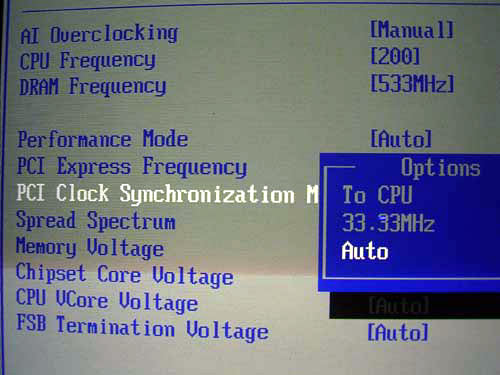
Its admissible values are 1.2V and 1.4V. At increased speeds, it is important that the PCI bus speed, if possible, not depart from the standard 33 MHz. This is primarily important for the correct hard disk functioning. Therefore, Asus P5AD2 allows setting a fixed speed at the PCI bus.
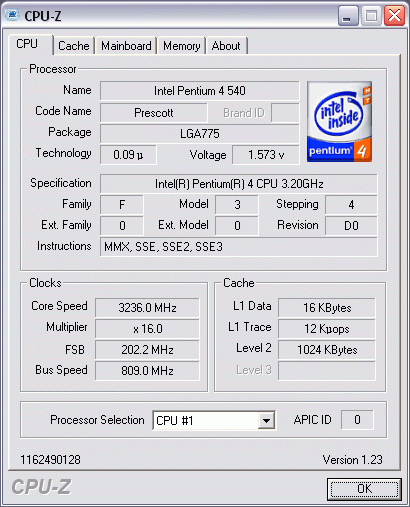
Now let's try the overclocking features in practice. To start with, Asus P5AD2 demonstrated excellent overclocking results: stable operation at FSB = 250MHz (Vcore=1.5V). In so doing, we used a standard Pentium4 540 3.2 GHz of stepping D0 with the multiplier locked. So that was the only obstacle to further overclocking: 4 GHz is the technological limit for this stepping. It is quite probable that using a processor with the multiplier unlocked we would be able to attain higher results (at raising the FSB speed).
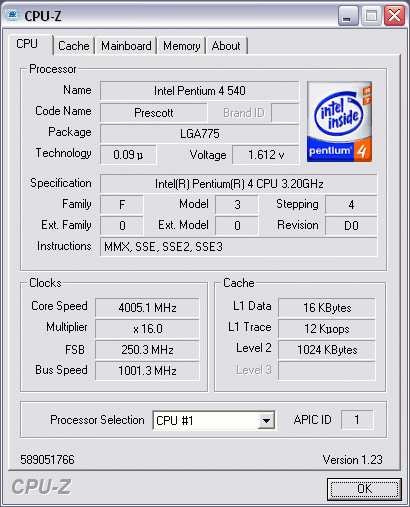
The board demonstrated superb compatibility to Kingmax DDR2-533 memory. In particular, when overclocking the system to FSB=250MHz we set the memory divisor to 1:2. Once the system refused to overclock further, I set the memory divisor to 2:3. Then, the system not only started, but was able to run absolutely stably. Therefore, the memory frequency was equal to 166 MHz, which matches DDR2-666 (of course, I raised the Vmem). It is still not clear yet - who of the manufacturers is to blame for the success, but the 'Kingmax DDR2-533 + Asus P5AD2 Premium' combination showed itself simply fantastic!
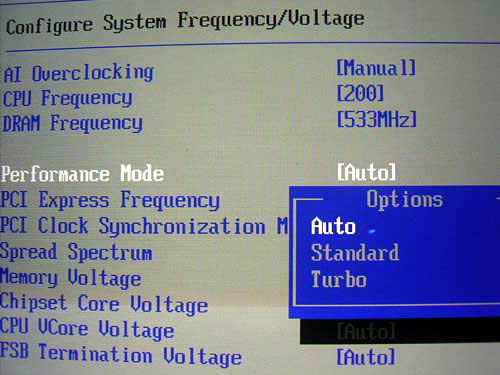
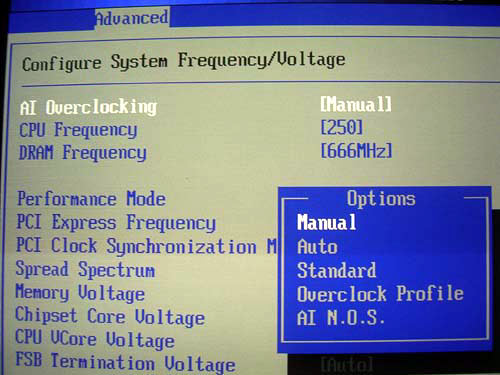
A few more things related to overclocking. First, in the respective BIOS section there is an interesting item: Performance Mode. When set to the "Turbo", the board simply raised the FSB speed by 2 MHz.
That is, the current BIOS version does not give any advantage of using this parameter.
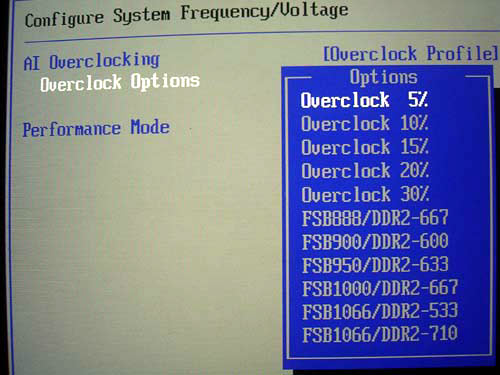
Now regarding the "AI Overclocking" parameter aimed at beginner users.
By simply selecting the required value, the user can overclock the system (through raising the FSB speed) by 5%, 10%, 15%, 20% and 30%.
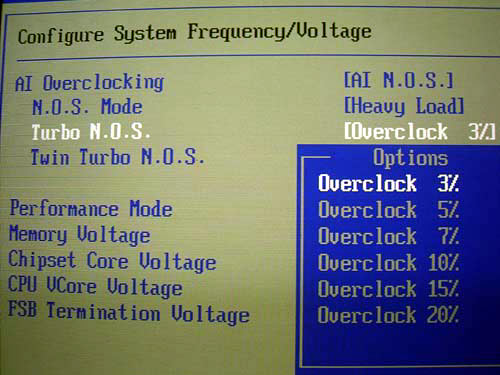
The system will permanently run in the overclocked mode, which will affect negatively on the temperature regime. So, the more preferred option is the NOS (Non-Delay Overclocking System) mode in which overclocking is done on-demand. Simply put, the raise of FSB speed occurs at the time a resource-hungry application (e.g., a game) starts up. On closing the application, the system reverts to the rated frequency. In other words, Asus engineers implemented the "dynamic overclocking" which was already seen in the motherboards by MSI, Gigabyte and Abit.
The selection of overclocking extent is adjusted with the "Turbo NOS" feature:
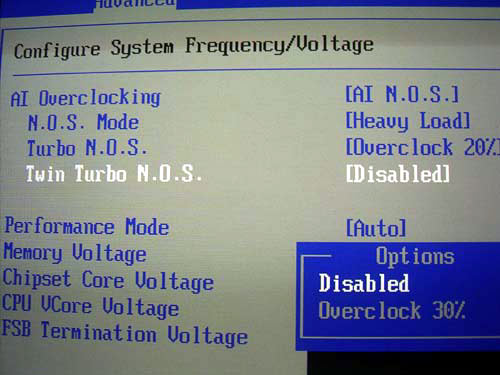
Besides, there is the additional feature "Twin Turbo NOS" that expands the range of dynamic overclocking.
When I was too optimistic to set the maximum possible 30%, the system did start, reached the POST screen and hung. With the 20% value, the system was running stably. That means the board tests the processor for overclocking potentials upon start-up and won't let the system start up if the overclocking is impossible or results in non-stable operation.
In practice, NOS looked like this: once a "demanding" application was started, the system runs for a few seconds in the rated mode, then raises the frequency (the current system performance is highlighted in red).
In combination with the Q-Fan feature,the NOS will allow many users get a nice performance boost. Of course, hardcore overclockers would prefer a permanent overclock, through adjusting the BIOS settings. However, it should be kept in mind that the Prescott core emits too much heat. Therefore, permanent overclocking is not a reasonable option.
 |
Content: |
 |
|
|
Top Stories: |
|
 |
|
MoBo:
|
|
|
|
VGA Card:
|
|
|
|
CPU & Memory:
|
|
|