ASUS P5E3 Deluxe vs. ASUS Maximus Extreme
Author:
Date: 17.01.2008
|
|
BIOS
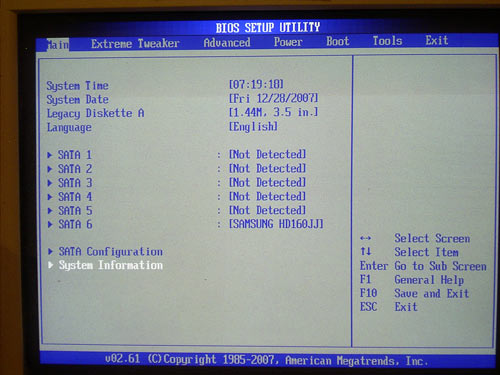
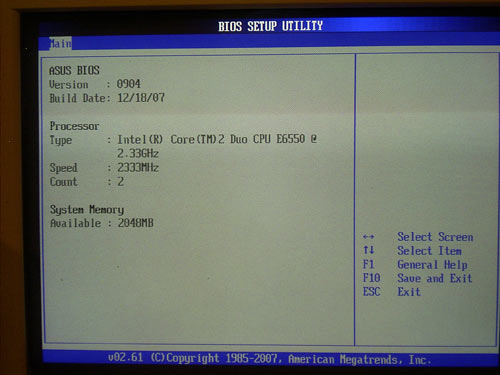
The BIOS of both the boards is based on the AMI BIOS version, with its capacity being 16 Mbit.
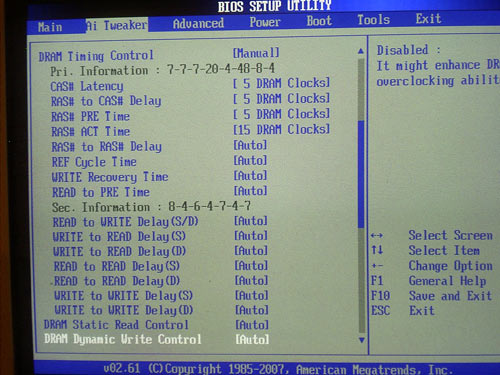
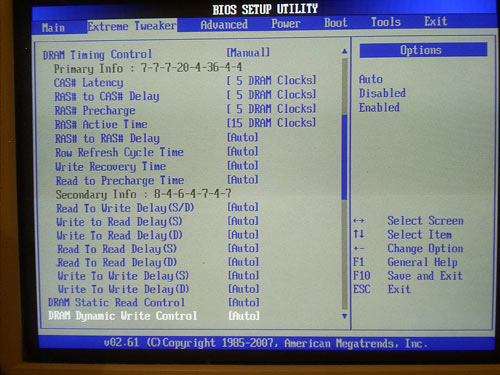
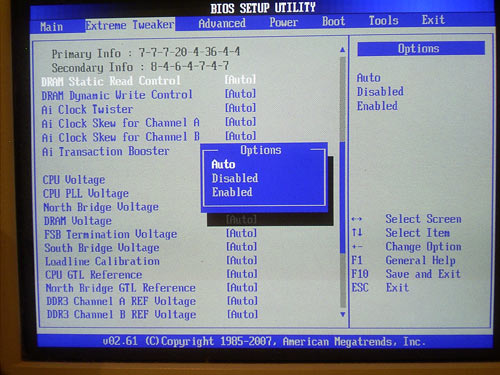
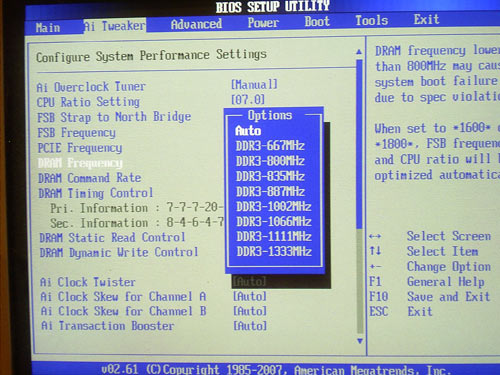
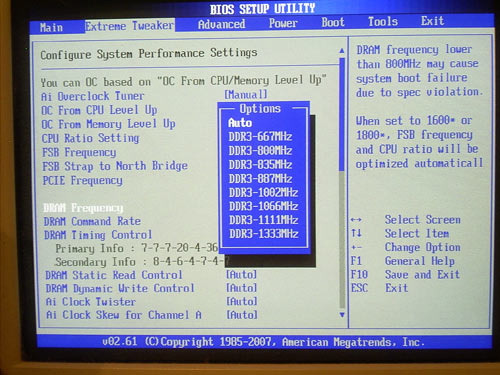
The section in charge of memory operation settings looks like this:
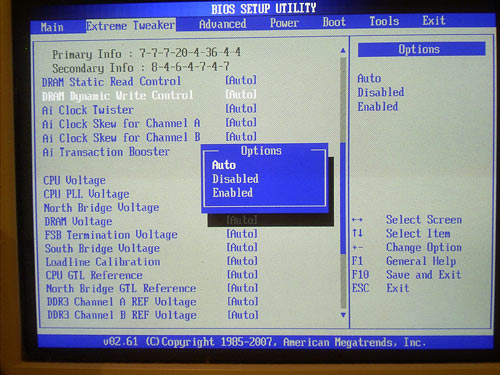
Additional adjustment to the memory can be performed with the "DRAM Static Read Control" and "DRAM Dynamic Write Control":
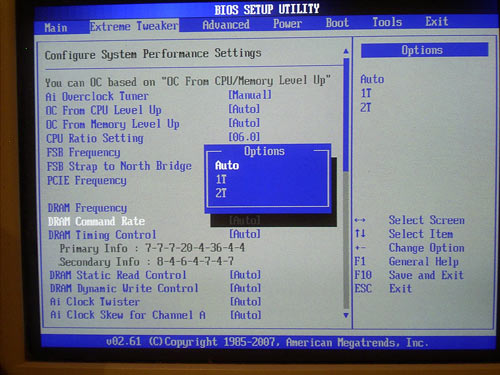
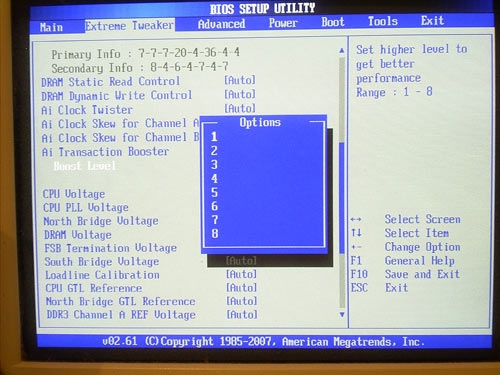
For that, there are the "DRAM Command Rate" and "Ai Transaction Booster" parameters:
Another important parameter that affects the performance is setting the memory operating frequency. The set of available frequency multipliers coincides for both the boards:
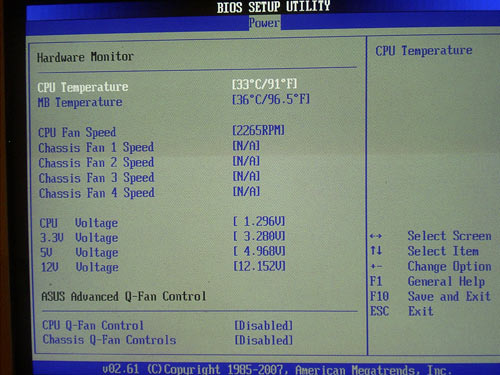
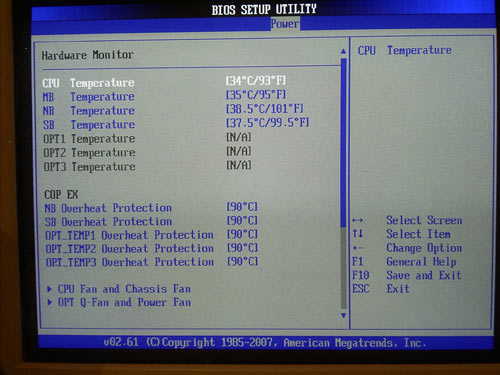
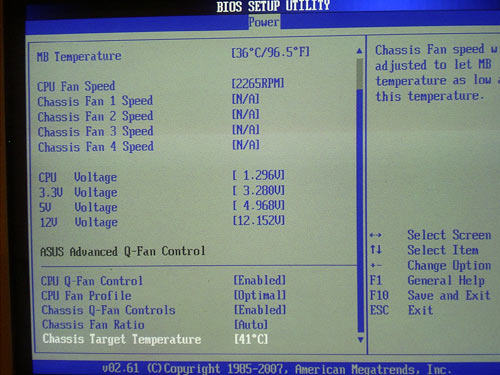
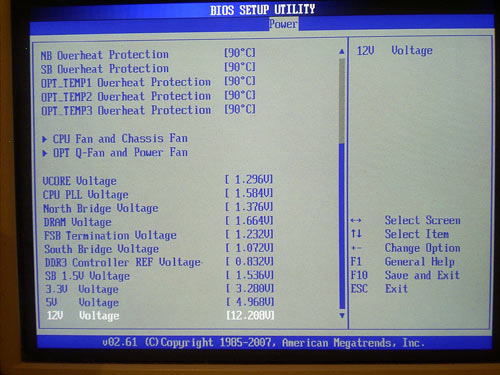
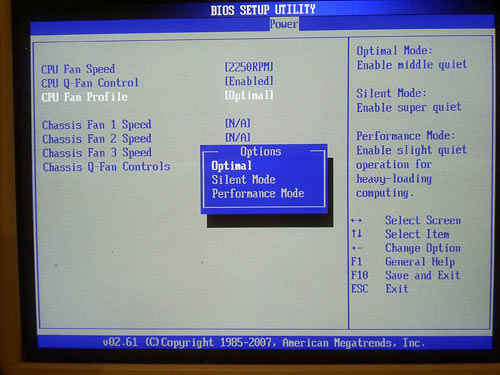
Now look at the system monitoring section. At that, P5E3 Deluxe lags well behind the Maximus Extreme model.
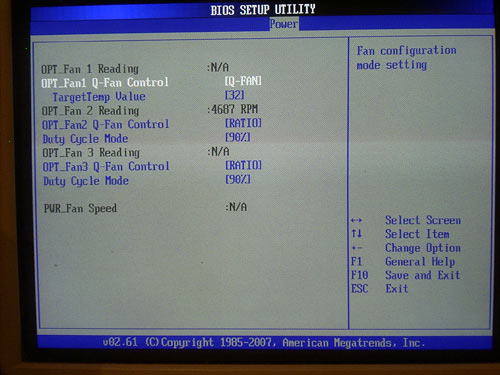
In particular, the Maximus model not only keeps track of the CPU and the system but indicates the temperature of the north and south bridges. Moreover, the board determines the temperature from three external thermal sensors (available in the bundle) and thus allows the user to monitor the cooling efficiency of the whole computer.
The thing is, the Maximus model offers independent adjustment of the Q-Fan feature for four (of eight) fans, with three can be "linked" to the temperature of the external thermal sensor.
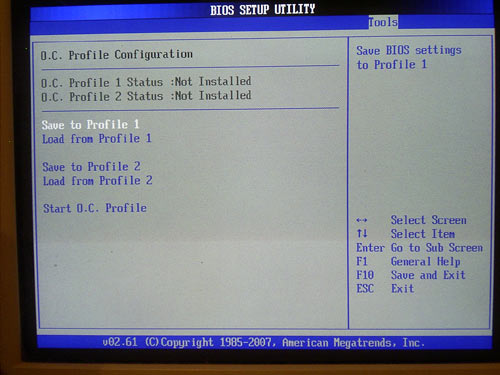
Both the motherboards are able retaining and loading BIOS settings as profiles.
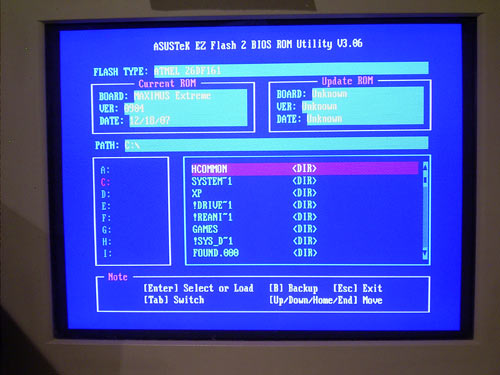
To update the BIOS, the ASUS board offers the integrated EZ Flash 2 utility:
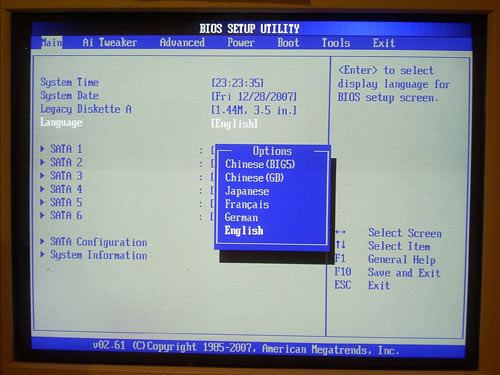
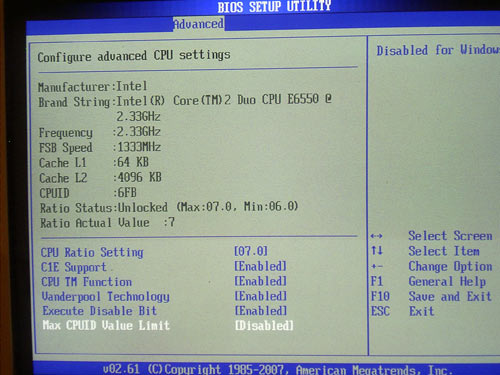
We also note the feature for displaying the BIOS settings in multiple languages, and a section to control the functions of Intel processors:
Overclocking and stability
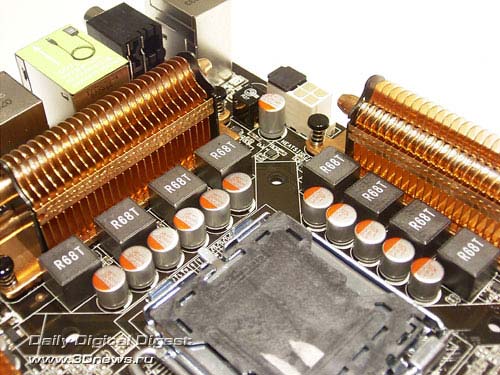
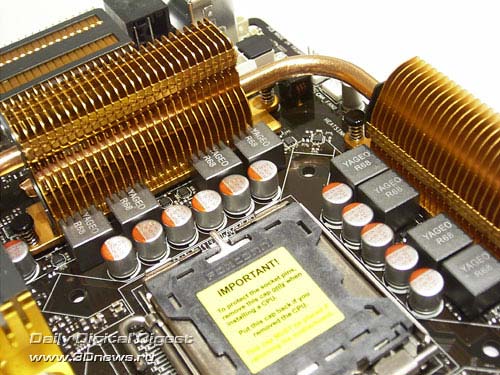
Before we move on to Overclocking, let's look at the power converters. The PWM of ASUS P5K3 Deluxe uses a 8-phase scheme in which there are eleven 561 mkF and two 271 mkF capacitors. The PWM of the ASUS Maximus Extreme also offers a 8-phase scheme in which there are twelve 561 mkF capacitors.
All the power components of the PWM on the boards are equipped with radiators, and on ASUS P5E3 Deluxe there is an additional radiator on the power converter of the memory modules. Besides, user of both the boards can raise the cooling efficiency through installation of additional fans (available in the package bundle).
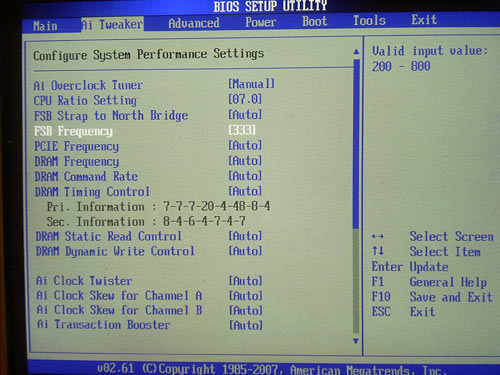
Now on to the overclocking features. They are gathered in the "Ai Tweaker" section.
| Board |
ASUS P5E3 Deluxe |
ASUS Maximus Extreme |
| Multiplier adjustment |
+ |
+ |
| FSB adjustment |
within 200 to 800 MHz (1 MHz) |
within 200 to 800 MHz (1 MHz) |
| Vcore adjustment |
within 0.85 to 1.7 V (0.00625 V) |
within 1.1 to 2.4V (0.00625 V - 0.025 V) |
| Vmem adjustment |
within 1.5 to 2.78 V (0.02 V) |
within 1.5 to 3.04 V (0.02 V) |
| Vdd adjustment |
within 1.25 to 1.91 V (0.02 V) |
within 1.25 to 2.05 V (0.02 V) |
| Vsb/Vpcix adjustment |
1.05 V; 1.2 V |
within 1.5 to 2.05 V (0.05 V) |
| Vtt adjustment |
within 1.2 to 1.5 V (0.02 V) |
within 1.2 to 2.0 V (0.02 V) |
| PCI-E adjustment |
within 100 MHz to 150 MHz (1 MHz) |
within 100 MHz to 180 MHz (1 MHz) |
We note the following traits of the motherboards at overclocking. First, programmers at ASUS have added the feature for highlighting the parameters exceeding the range of safe overclocking (in their opinion) with different colors. Also, the ASUS boards lack the ASUS NOS (Non-Delay Overclocking System) technology which is implemented on almost all the previous models by this manufacturer.
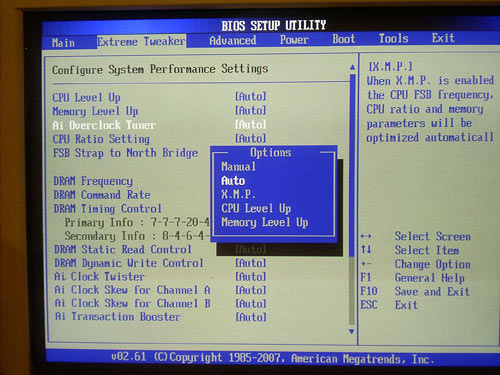
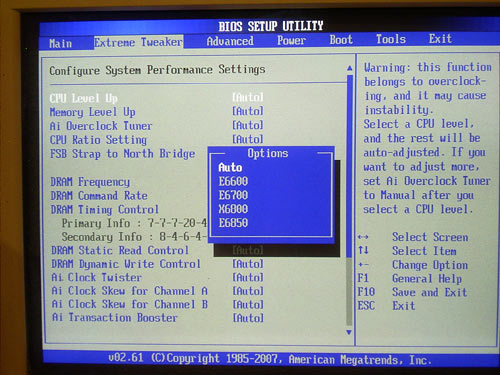
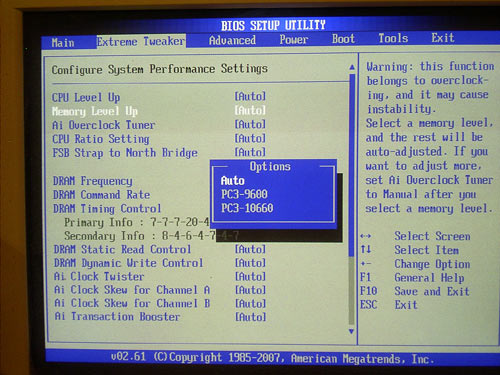
Instead, there is support for the X.M.P., CPU Level UP, and Memory Level UP (the latter two are only in the Maximus Extreme model).
The X.M.P. technology means support for the Intel XMP (Extended Memory Profiles). This is some sort of an analog to the NVIDIA EPP (Enhanced Performance Profiles) technology whose idea is in the additional information written into the SPD of the memory modules, where guaranteed stable memory operation parameters are embedded. Each set includes information on the memory frequency, voltage, respective latency timings, and most importantly, the sub-timings. Therefore, overclocking with the X.M.P.e is performed based on the memory capabilities: the memory frequency is set to the maximum possible and then, with the available multipliers, the FSB (and thus the CPU clock speed) is set.
The second feature - CPU Level UP - is somehow simpler and easier: the Maximus board offers a fixed set of FSB/MEM frequency values, and for better perception each set meets the specifications of an Intel processor.
For details of using this feature in practice, read a review of ASUS Maximus Formula (DDR2). Here, we merely note that the "Memory Level UP" features operates in absolutely the same manner as the name suggests - it is memory that is overclocked.
Despite the kindred BIOSes, the Maximus board is much superior at the adjustment convenience. The thing is, while setting voltages the P5E3 has no menu, which in our view is somehow inconvenient.
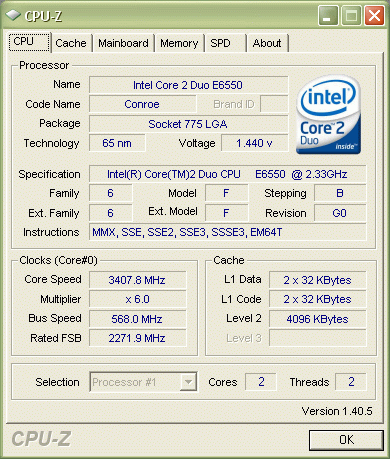
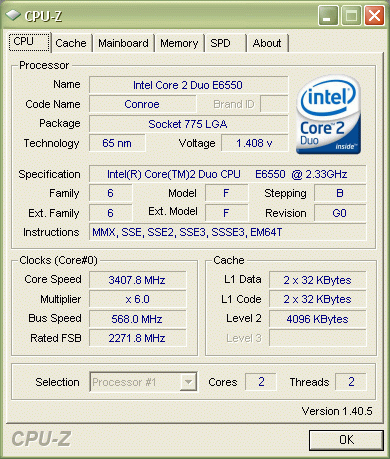
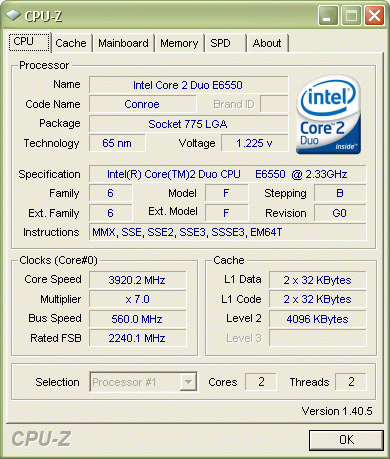
Let's look at the practical results of overclocking which proved to be equally high. The maximum stable FSB speed in ASUS boards is 568 MHz, which is a record for our test lab.
We even re-tested the CPU E6550 and found out that it was capable of running stably at 3.92 GHz (versus the nominal 2.33 GHz)! The previous achievement was 3.85 GHz, and you can take a look at the performance of this CPU at this clock speed in this review.
 |
Content: |
 |
|
|
Top Stories: |
|
 |
|
MoBo:
|
|
|
|
VGA Card:
|
|
|
|
CPU & Memory:
|
|
|