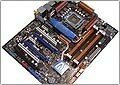
ASUS P5E3 Premium (Intel X48)
Author:
Date: 02.06.2008 |
|
BIOS
The BIOS of ASUS P5E3 Premium is based on the AMI BIOS version, and its capacity is 16 Mbit.
All the memory settings are gathered in the overclocking tools section:
There is also a parameter that affects the performance - setting the memory operating frequency.
The choice of available frequencies is in direct dependence of the selected Strap:
Like all the most recent motherboards by ASUS, P5E3 Premium allows the user to adjust the settings which directly affect the memory subsystem performance. In particular, that is "Command Rate":
"DRAM Static Read":
"DRAM Dynamic Write":
and "AI Transaction Booster":
Now move on to the section to do with the system monitoring.
The board displays the current temperatures for the CPU and the system, the rotational speeds of all the five (of six) fans, as well as voltage levels. Besides, the CPU cooler is able adjusting the rotational speed depending on the CPU temperature, with the other fans - on the system temperature. You can keep track of the monitoring parameters from within Windows as well: with either AI Suite (basic set of parameters) or with PC Probe II (extended set).
The BIOS version can be updated in a number of ways. First, make use of the AFUDOS (DOS) and ASUS Update (Windows) utilities, and in the latter case the POST image can be recorded into the BIOS (for that, there is the MyLogo 3 feature). Secondly, the user can resort to the EZ Flash 2 utility integrated into the BIOS. The file with a new firmware can be located not only on a regular 3.5" floppy but also on a hard disk or a USB flash drive.
Finally, the board offers support for the CrashFree BIOS 3 (restoring the damaged BIOS firmware with a CD or a flash disk).
Traditionally for motherboards made by ASUS, the BIOS supports display of the settings in multiple languages (Multilanguages BIOS).
The BIOS also gives access to tuning all the features of modern processors:
In conclusion, we note the OC Profile technology which allows saving all the BIOS settings into memory and loading them on demand. ASUS P5E3 Premium supports two independent profiles:
Now let's take a look at ASUS' new technology called Express Gate. The idea of the product is simple enough: on the board there is installed an additional module
which offers the "cut-down" Linux version, as well as two applications - the Splashtop browser (based on the Mozilla Firefox engine), and Skype.
In operation, Express Gate looks like this - upon the system start-up the user sees this screen:
Within a certain time period (within 10 to 30 seconds, depending on the settings), the user can start up the Express Gate (either with the browser or with Skype), access the BIOS and continue boot-up, or power off the computer. The start-up of Express Gate is performed fast enough - within 5 to 10 seconds. Applications run as fast, so do system settings while being opened. In fact, there are not many settings - the user can change the screen resolution, choose the date and time, select the input language and the GUI language, set the network parameters, adjust the volume, as well as adjust a number of secondary system parameters.
All the software part (OS and applications) is written in the form of a firmware which can be updated with Express Gate Updater:
Well, what do we get in the upshot? At first glance, not much - almost instant access to the Internet and the option of using Skype (as fast). In fact, in view of the great variety of network services, Express Gate could prove to be a useful technology for undemanding users. At the same time, Express Gate is not meant to serve as a replacement of a full-featured operating system; it is merely a minor useful addition.
However, if ASUS finds Express Gate a promising and priority direction, that might produce a serious effect upon the IT industry as a whole. To start with, a great number of users need a truly fast operating system (i.e. with instant response to the command) and free, if possible. ASUS Express Gate is just the system whose one more advantage is in that you don't have to install it or set up. This system does not need separate drivers because it is originally optimized for the available hardware. Finally, it is really safe because it does not operate with storage.
On the other hand, the limitations in functionality degrade the efficiency of ASUS Express Gate as a full-featured operating environment. If the user finds an interesting page, he is neither able to save it on a HDD or a flash drive, nor print it or save a link to it in a text editor. The most what we invented is to submit a link to our own address and then receive a letter to Windows' mailing client. But this time we are not talking about that. Currently, Express Gate is no more than a toy with which ASUS is making a trial run of the technology. If Express Gate is regularly enough is complemented with useful high-quality applications (well-optimized, fast and free), it is quite possible that there may come the moment when the functionality of such OS will be quite enough for running office, home and training tasks. Certainly, Express Gate will never be able competing against Windows in terms of support for games or support for the numerous hardware, but it's just this technology which can make ASUS an absolute monopolist on the motherboard market, provided there is sufficient level of development.
In our humble opinion, addition of "minesweeper" or the like games would make ASUS a monopolist already right now. Normally, applications like that will satisfy the needs of 95% of office workers. _ _.
 |
Content: |
 |
|
|
Top Stories: |
|
 |
|
MoBo:
|
|
|
|
VGA Card:
|
|
|
|
CPU & Memory:
|
|
|










