Abit AN7 (nVidia nForce II 400 Ultra) Review
Abit AN7 Board Features
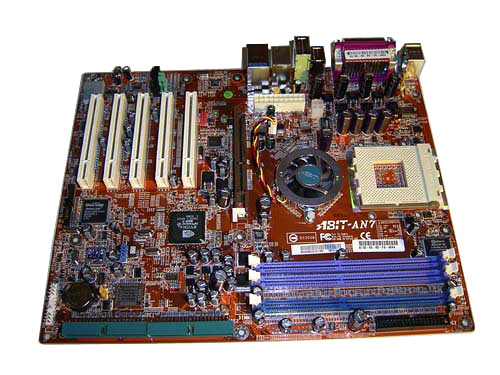
The design of Abit AN7 makes a radical difference from the Abit NF7-S model. Nevertheless, all the PCB flaws have not been fixed so far. In particular, the power connectors are positioned almost in the center, with the processor socket very close to the board's edge, and the latches of the memory slots might be blocked by a long AGP video card.
There are improvements, though: e.g. the IDE connectors are mounted in the board's bottom end and are aimed parallel to its plane. This makes connection of cable connections much easier.
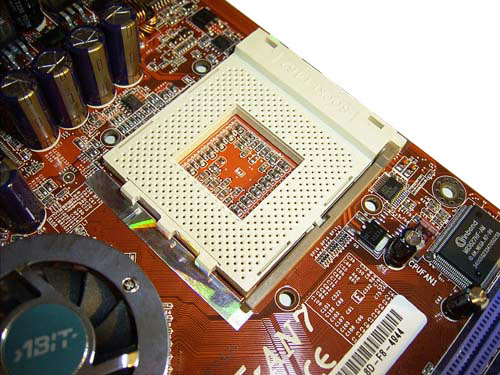
Now let's look at the area around the processor socket.
The vacant area around the socket is quite comfortable to install massive coolers. Anyway, we came across some issues when installing the popular cooler Zalman 7000-A (the capacitor was a hindrance). But after some modifications made to the fastening we were able to install the cooler, since the board offers four assembly holes. Note also that under the socket teeth there are plastic strips preventing the board from damages.
Like all modern SocketA boards, Abit AN7 offers support for hardware protection against overheating. Once the core temperature exceeds 100-110 C, the system shuts down. Actually, this is an extreme situation which comes up if you forgot to plug in the cooler (or simply didn't install it at all :).
As regards the temperature monitoring, Abit AN7 offers an interesting peculiarity. With early BIOS versions, the processor temperatures rose too fast depending on the load. This allowed to assume that data is taken straight from the thermal sensor of the processor core. However, in later BIOS versions the temperature started changing at some delay, and the variation value did not exceed 3-4 С. In the end, during all the tests I wasn't able to observe the temperature exceed 53C, whereas the real processor core temperature in XP3200+ with a Titan Cu5TB cooler should be about 65-70 C as the Vcore rises. Therefore, we can conclude that temperature data is indeed taken straight from the thermal sensor but undergo additional "processing" through the BIOS and reduce the temperature (clearly, this is done because of the false care about the user; so as to relieve him/her from the trouble of cooling efficiency).
What is especially sad is that this practice of temperature reduction is increasingly applied extending to Socket754 motherboards as well. This is absolutely understandable: currently, AMD processors offer much lower heat emission than Northwood/Prescott Pentium4 processors do. And motherboards designed for Intel processors display the temperature precisely enough.
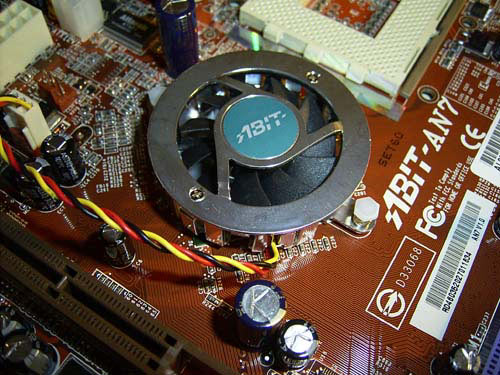
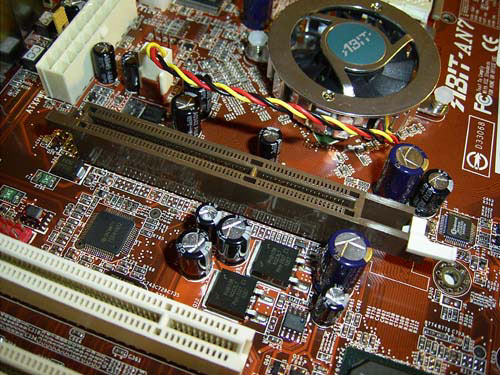
As regards the cooling of the chipset, there is nothing to complain. On the North Bridge, there is a big cooler with a proprietary protective grid.
The cooler is plugged in to the 3-pin NBFAN1 connector. At the same time, not only does the board monitor its rotational speed, it also allows the user to decelerate the cooler due to the FanEQ technology. The same feature is available for the processor cooler and is plugged in to the CPUFAN connector. The other cooler connectors (SYSFAN1, FAN4, FAN5) lack such feature, unfortunately.
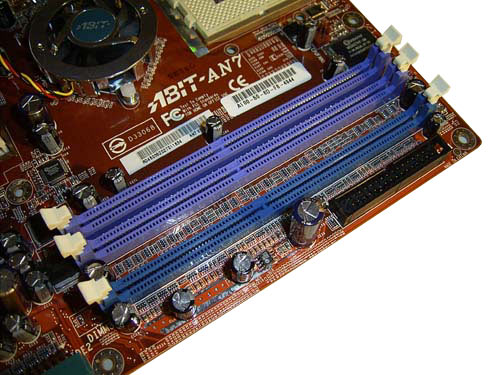
Below the North Bridge, there are 3 DIMM slots; the maximum memory capacity makes up 3 GB.
Near the battery, there is a red LED indicating voltage on the slots. Once the board starts up (or is still in the stand-by mode), another, green, LED lights up.
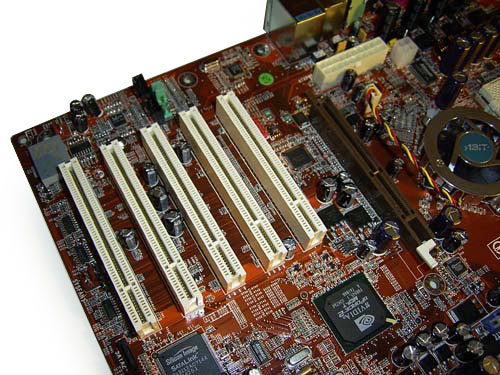
Only 1.5V (or 0.8V) AGP 4x/8x video cards are allowed into the AGP slot. Besides it, there are 5 PCI slots onboard, with the first one positioned far enough from the AGP slot.
This makes installation of video cards with a massive cooling device (e.g. Gigabyte GV-N595U-GT) a breeze, with the PCI1 slot left vacant. In this case, the only issue will be plugging in a header for a Firewire port.
 |
Content: |
 |
|
|
Top Stories: |
|
 |
|
MoBo:
|
|
|
|
VGA Card:
|
|
|
|
CPU & Memory:
|
|
|