abit IN9 32X-MAX (NVIDIA nForce 680i SLI)
Author:
Date: 29.10.2007 |
|
Overclocking and stability
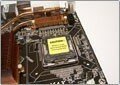
Now look at the digital power converter in which traditional capacitors are missing completely.
Close view:
Now move on to examining the overclocking tools gathered in the "OC Guru" section.
Below listed are the overclocking features. First off, abit IN9 32X-MAX allows adjusting the FSB speed within 100 to 750 MHz in 1 MHz increments. It is convenient that you can enter the required value which has to be divided by 4 to know the precise value of FSB speed.
Also, the bus speed between the south and north bridges is adjustable within 200 MHz to 500 MHz (in 1 MHz increments):
The user can change the HyperTransport bus multiplier on the section between the NB and CPU:
Besides, the PCI Express bus speed is adjustable within 100 MHz to 200 MHz (also in 1 MHz increments). In so doing, the bus speed can be set independently for each PCI Express x16 slot.
If necessary, the user can adjust the CPU multiplier (which is locked towards the increase in Intel processors):
The adjustment range is within 6 to 60 in 1 increments. The next feature allows adjusting voltage on the CPU (Vcore) within 1.25V to 1.9V in 0.01V increments.
The next feature raises voltage on the memory modules:
The adjustment range for Vmem is wide enough (from within 1.8V to 3.0V in 0.025V increments)! Moreover, there are a few more settings to raise voltage on the memory controller
There is also a couple of useful features for adjusting voltage on the chipset. The voltage adjustment range on the north bridge is within 1.35V to 1.55V in 0.05V increments:
The voltage adjustment range on the south bridge is is within 1.5V to 1.7V in 0.05V increments:
Then, abit IN9 32X-MAX allows adjusting voltage on the HyperTransport bus within 1.2V to 1.4V in 0.05V increments:
Besides, the user can adjust the CPU VTT voltage within 1.2V to 1.5V in 0.1V increments:
Even with the most recent version (13) of the BIOS, the board demonstrated really weak results: a stable operation at merely FSB =375 MHz.
 |
Content: |
 |
|
|
Top Stories: |
|
 |
|
MoBo:
|
|
|
|
VGA Card:
|
|
|
|
CPU & Memory:
|
|
|










