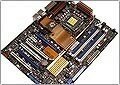
ASUS Striker II (NVIDIA nForce 780i SLI)
Author:
Date: 02.04.2008 |
|
Expansion options
ASUS Striker II supports 6 SerialATA-II links. The matching connectors are colored blue, positioned near the south bridge and are orientated in parallel to the board's plane.
Then, on the board there are two Gigabit LAN controllers 88E1116 made by Marvell:
The board supports ten USB 2.0 ports, six of which are positioned on the rear panel, with 4 more plugged in via plates (the board comes bundled with a bracket for two ports). Besides, the board offers support for the Firewire bus. For that, there is an additional VT6308P controller made by VIA. Therefore, the board offers support for two IEEE1394 ports: one on the rear panel, with the other one connected with a plate (available in the package bundle).
The last thing to dwell on is the integrated High Definition Audio. The ADI 1988B chip is used as the codec which supports output for 8 channels.
 Recall that the audio subsystem is on a separate board.
The board's rear panel looks like this:
You can notice see a complete lack of LPT and COM ports. At the same time, most part of the rear panel is not used up. We note a connector to plug in a LCD Poster, optical and coaxial SP-DIF outputs, a Firewire port, as well as buttons to clear the CMOS settings.
Traditionally, a jumpers layout diagram:
The diagnostic LCD Poster screen allows keeping track of all the stages of system start-up, which allows localizing a fault whenever a trouble comes up. Engineers at ASUS have implemented an additional feature that prevents the LCD screen from running idle upon successful start-up: the screen displays a user line or the current time. Both can be selected from the BIOS:
Unfortunately, you can't enter a long line (although it can't be simpler to implement scrolling), and in the line itself you can't input many characters (e.g., "-" or space).
Now on to the BIOS settings.
 |
Content: |
 |
|
|
Top Stories: |
|
 |
|
MoBo:
|
|
|
|
VGA Card:
|
|
|
|
CPU & Memory:
|
|
|










