Toshiba Portege 4000 Notebook Review
Author:
Date: 15.02.2002 |
|
Not everyone needs high performance, a big screen, thousands of megahertz of a processor and dozens of gigabytes on a hard drive. There are plenty of cases when a small size and light weight coupled with a good bundle of functions are of the most importance. Today we are testing the Portege 4000 notebook which takes the top in the Toshiba's line of portable PCs. In our work we often use various portable equipment, and in this respect positioning of this model is close to us.
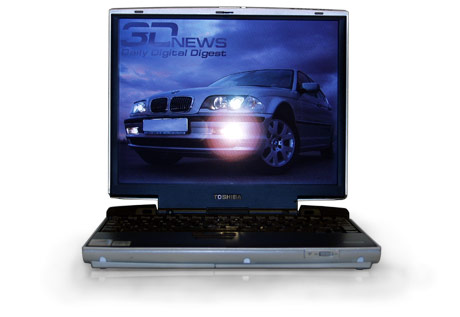
Toshiba Portege 4000
A modern online pressman working on various exhibitions or forums can't use just pocket PCs or alike when he needs to deliver materials to the editors promptly. Nothing, even the most advanced PDAs, can't process digital photos in high resolution taken with a professional reflex digital camera. Their functions of text processing are primitive and screen resolution is too low. On the other hand, a 3-spindle monster on the Pentium 4 with half a gigabyte of memory, a 15" matrix and weighing 3 kg is burdensome. Just put yourselves in shoes of a guy flying around a display with a heap of photo and video cameras and making reports.
But don't think that a pressman is ready to sacrifice capabilities of a baby. We won't discuss economic, ethic problems and cost of software. It's well known that it's excellent to edit photos in PhotoShop, compress for WEB in ImageReady, draw tables in Excel and read texts in Word, while e-mail should be received in Outlook which also includes a planner and a calendar, allows making notes and supports synchronization with PDAs.
We got the Toshiba Portege 4000 in a compact box, though without a handle. Inside the box the model is well protected from any damage during transportation. Apart from the notebook it contains a separate small cardboard package with documentation, software, a bracket to replace a built-in DVD-ROM drive and necessary cables.
The system is ready to work from the very beginning - all necessary programs including Windows, Microsoft Works and managing utilities are installed. You have to insert no CDs, and the battery is already connected to the computer. The only thing you must do is to plug in the Portege 4000 for its first charging. While our baby is charging up let's take a look at the Toshiba's model row.
Hierarchy of the Toshiba's notebooksAny notebook have characteristics which determine its class. They are not only a processor's frequency, a diagonal of an LCD's matrix, ROM and RAM, spindles but also dimensions, weight and some other criteria.

The Toshiba's line consists of four main parts - the lightest and best portable solutions belong to the Portege series. Compact size is what distinguishes them. Weight is considered the most important parameter here, but at the same time the models are modern and functional and have good communication capabilities.

The SOHO-oriented notebooks are able to replace a desktop computer and well equipped with multimedia capabilities. This series has processors from Pentium III to Pentium 4, and the models come with desktop chips instead of mobile ones to reduce the cost.

These are more advanced and functional models meant for small offices and a market sector that requires high performance. Toshiba promotes the Pro series as the best extendable and highest-efficient. But to tell the truth, the Satellite Pro is a compromise for those who can't afford the Tecra.

Well, this series includes the most efficient solutions which do not yield and often outperform desktop brothers. Here we have advanced communication capabilities, big diagonals and top performance.
With time some characteristics shift from one group into another. For example, a couple of years ago the 2-spindle series of the Satellite Pro had a 12.1" screen which today is typical of the Portege, while the Satellite and Pro are primarily equipped with 15" LCDs. Besides, the company managed to make their solutions lighter and increase their time of running from batteries.
Right now (at the time of writing this review) the Portege has two models - a 2-spindle notebook 4000 and a very compact 1-spindle Portege 2000. The senior mode, Portege 4000, has both advantages and disadvantages as compared with the 2000. The junior brother weighs about 1.1 kg while the weight of the Portege 4000 varies from 1.7 to 1.9 kg. On the other hand, the elder Toshiba is equipped with a built-in DVD-ROM drive and has better communication properties and works longer from one battery.
Appearance, ergonomics
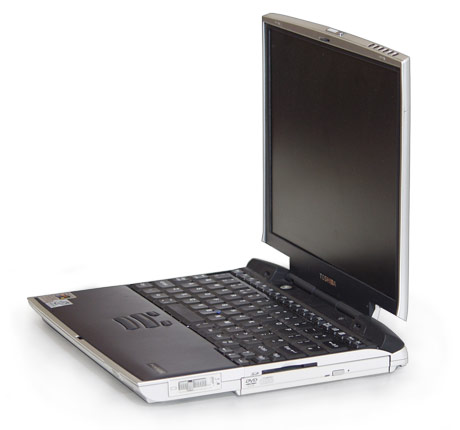
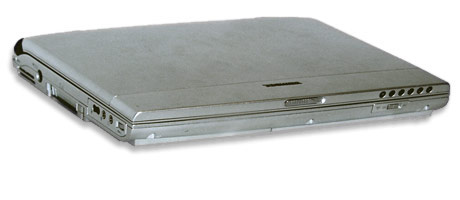
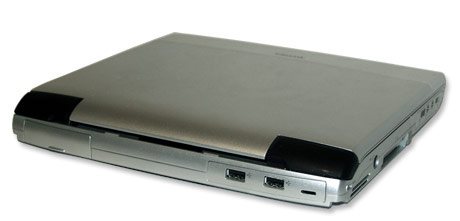
No one doubts that at some $2000 a user wants the best exterior. The appearance is typical of the latest Toshiba's models. The lines are typical of Audi TT, the prominent speakers under the screen, a power button is in the joint of the lid and case. The design is elaborate. The case is made of silvery plastic with granulated titanium. The manufacturer promises that this must make it more solid and resistant to scratches. We didn't use nails as a torture instrument, but such cases usually "take easy" mechanical effects.
The panel with main indicators is unusually placed on the side of the lid. Whether it's convenient or not depends on what a user got used to. We find it handy in general.
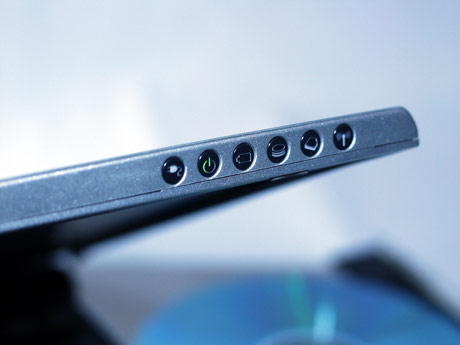
Indicators on the display panel of the Toshiba Portege 4000
- Online indicator;
- Mode indicator (on/off/sleep);
- Battery status indicator (full/less than 100%);
- Hard drive indicator;
- Second device indicator (DVD-ROM drive here);
- Built-in Bluetooth controller indicator.
Let's continue our examination of the computer:
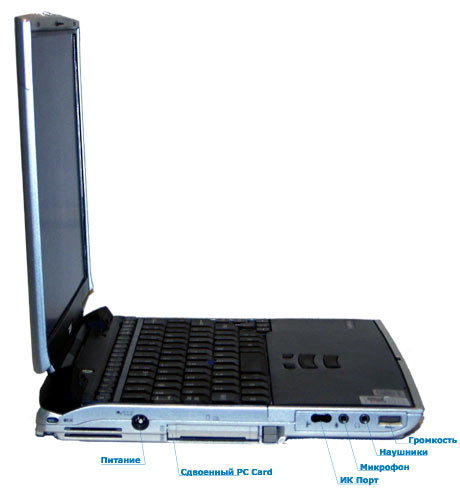
- PC Card slot for 2 Type I/II or 1 Type III devices;
- Headphones and microphone connectors;
- Volume control;
- SecureDigital flash card reader slot;
- IR port;
- Power unit input;
- Bluetooth switch (on/off);
- Slim Select Bay with a built-in DVD-ROM drive;
- Ethernet 10/100 Mbit connector;
- AMR modem 56k connector;
- Second monitor output;
- 2 USB 1.1 ports;
- Dock station connector;
- Battery lock.
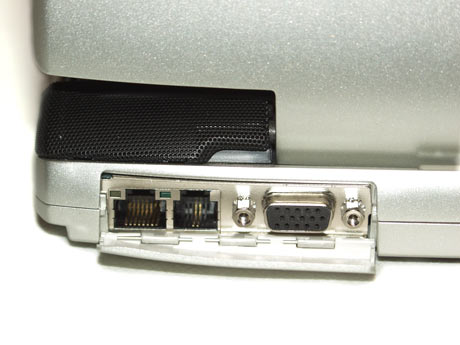
LAN, modem and external monitor connectors
There are no more ports on this portable PC. For the sake of a compact size and in the spirit of the time Toshiba refused COM and LPT ports as well as a PS/2 connector which could have been used for a mouse, keyboard or for additional power for Hyundai ZIV. A TV-out and linear and digital outputs are lacking as well, though they could be quite useful as the notebook is able to play DVDs perfectly.
The keyboard of the Portege 4000 has a Toshiba's classic style, i.e. it is a full-size panel of 86 keys with Windows keys located above. It's natural for owners of other Toshiba's models, while it can raise some questions for those who have never dealt with Toshiba before.

AccuPoint II system, control part. Toshiba Portege 4000
The AccuPoint II is used to control the mouse's pointer in the Windows. Although the touchpad is almost a standard for notebooks some big companies, including IBM and Toshiba, still use this archaic joystick. I'm used to it, but some people are not pleased with such a mouse management system. Anyway, there is a USB port and you can buy a trackball, a mouse or an external touchpad. Apart from the left and right mouse buttons scrolling is also emulated.
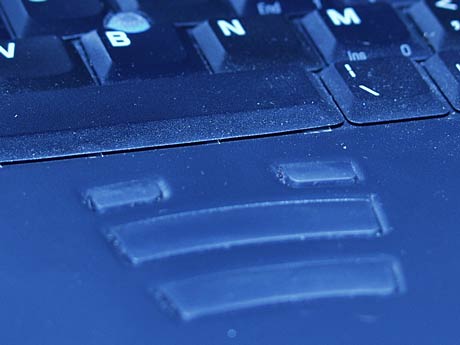
AccuPoint II system, buttons and scrollers. Toshiba Portege 4000
There are two buttons for this purpose, which are located above the long keys. You will get used to them very quickly.
 |
Content: |
 |
|
|
Top Stories: |
|
 |
|
MoBo:
|
|
|
|
VGA Card:
|
|
|
|
CPU & Memory:
|
|
|










